
Borden County VINE System Changed
The official Borden County Sheriff page still directs users to legacy VINELink. Texas changed its county and court notification provider on September 1, 2025. The current county service is IVSS-Counties. The Texas Attorney General says existing VINE registrations moved to the new system, phone and text notification settings continued, and former web users initially needed to update a password.
This change matters for every Borden County check. Old brochures and saved links may still say VINELink, yet current instructions should use IVSS-Counties. The service accepts inquiries about a specific person. It is not a Borden jail roster or a recent-release list. Because Borden houses detainees outside the county, confirm that Borden or the physical housing jail appears in the live portal.
Search Borden County Release Status
Begin with custody classification. For a Borden arrest, call the sheriff and identify the jail that booked the person. That step is vital because a search under the wrong county or facility can return nothing even while the person remains confined elsewhere.
- Open IVSS-Counties and search with the full or partial name or an available identifier.
- Use a DOC ID, SID, jail ID, or permanent booking number when one is known.
- Compare the name, facility, agency, and available identifiers before selecting a record.
- Read the exact custody phrase and note the time of the search.
- Register only after confirming that the record belongs to the intended person.
- Call the housing jail to verify any release, transfer, or other status change.
Names can collide, and spellings can differ. An identifier reduces that risk. If the live portal does not offer Borden or the housing jail, call the IVSS-Counties support line at 866-268-8959 and use the jail record as the primary source.
Borden County VINE Release Fields
The portal is designed for current custody or supervision and alerts, not as a full historical release certificate. The displayed details vary by participating feed. Read labels exactly and avoid filling missing fields with assumptions.
| Field or control | How to use it |
|---|---|
| Name and identifiers | Distinguish the intended person from similar names |
| Agency or facility | Identify the custodian supplying the status |
| Custody or supervision status | Read the portal's exact status phrase |
| Event type | May identify release, transfer, escape, death, or a court change where supplied |
| Notification choices | Select available events and delivery methods |
| Confirmation | Preserve proof that the registration was accepted |
A released result is a lead, not the whole release record. Ask the housing jail for release date and time, reason, holds, and destination. Match that event to the Borden court order when legal authority also matters.
Register Borden County Release Alerts
IVSS-Counties can accept a notification registration without requiring an account, while an account can make registrations easier to manage. The current portal, not an archived VINE brochure, controls the choices shown to a user.
- Find and verify the correct person and facility in IVSS-Counties.
- Choose the status events offered for that participating record.
- Select the available delivery method and enter accurate contact details.
- Follow the current confirmation steps shown by the portal.
- Save the confirmation screen or message with the person, facility, and date.
- Use the support number if a migrated registration cannot be reached.
Do not state that a four-digit PIN is required today unless the current portal asks for one. That PIN belonged to former telephone VINE instructions, where callers used it to acknowledge automated calls. Texas changed providers, so a legacy registration should be handled through the transition instructions or support line.
Borden Victim Notification After VINE
The local notification layer is unusual because the Borden sheriff's official page points to a service Texas has replaced. The Texas Attorney General transition notice is the current source for county notification. It says registrations were migrated and identifies IVSS-Counties as the replacement.
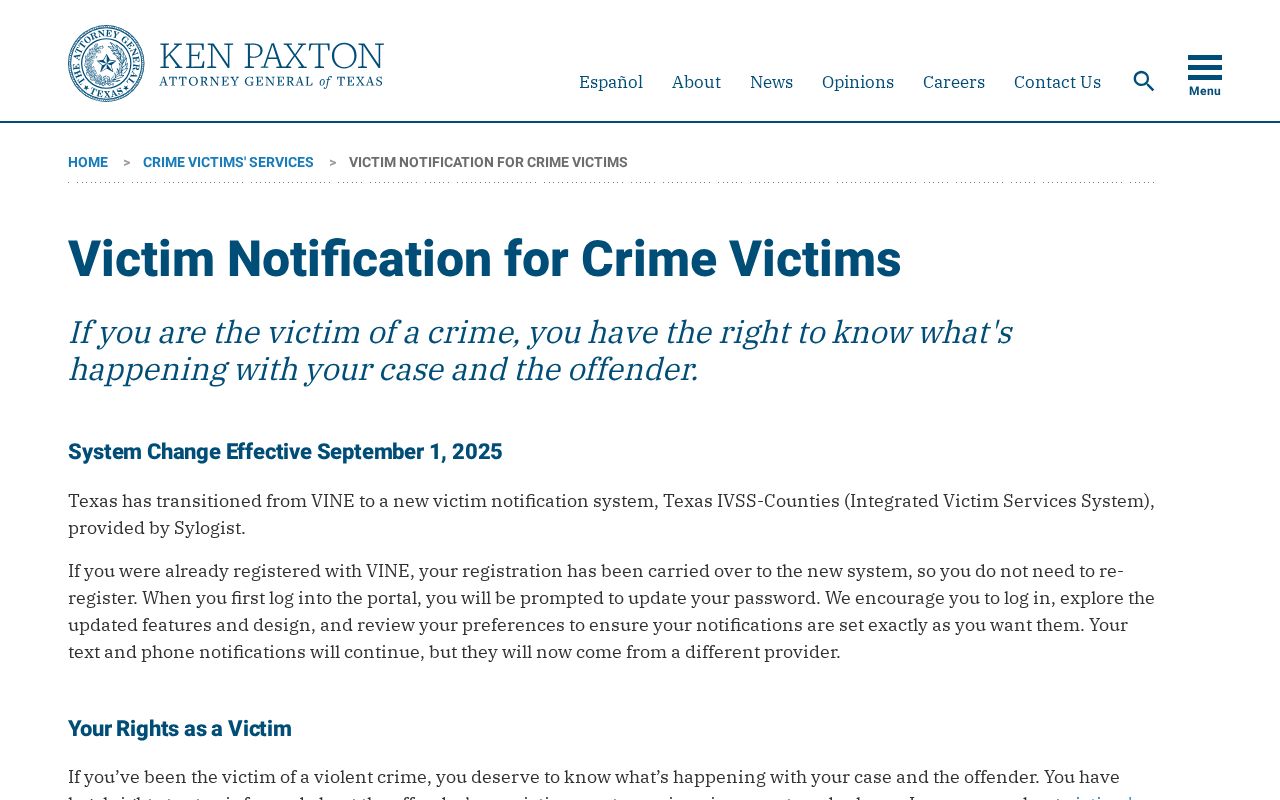
The captured notice explains why a Borden user may see different names on the sheriff page and the present portal. It also prevents an old PIN process from being presented as a current registration rule.
County notifications may include release, transfer, death, escape, or court changes when the relevant feed participates. Alerts are useful for planned updates. They are not retroactive proof that a past release occurred, and they do not replace a jail log or filed court order.
TDCJ IVSS for Borden Releases
A person sentenced to state prison moves into a different system. Use TDCJ IVSS for events involving the Correctional Institutions Division or Parole Division. The service covers specific-offender notifications tied to state incarceration, parole eligibility, Board decisions, bench-warrant movement, release, discharge, and certain warrant events.
Create an account, complete the portal confirmation, find the offender with a strong identifier, and select the offered events and delivery methods. TDCJ lists email, text, letter, and some phone notifications. State-prison users can seek help at 800-848-4284 or victim.svc@tdcj.texas.gov.
The state service should not be used merely because a Borden arrest occurred. A county detainee belongs in IVSS-Counties unless the person was transferred and admitted to TDCJ. Likewise, a parole alert does not prove the date someone walked out of prison. Review and Release Processing may still need to approve a plan, issue a certificate, and complete an audit.
View Borden TDCJ Release Alerts
The official TDCJ IVSS portal is the visual entry point for state custody and parole notifications.
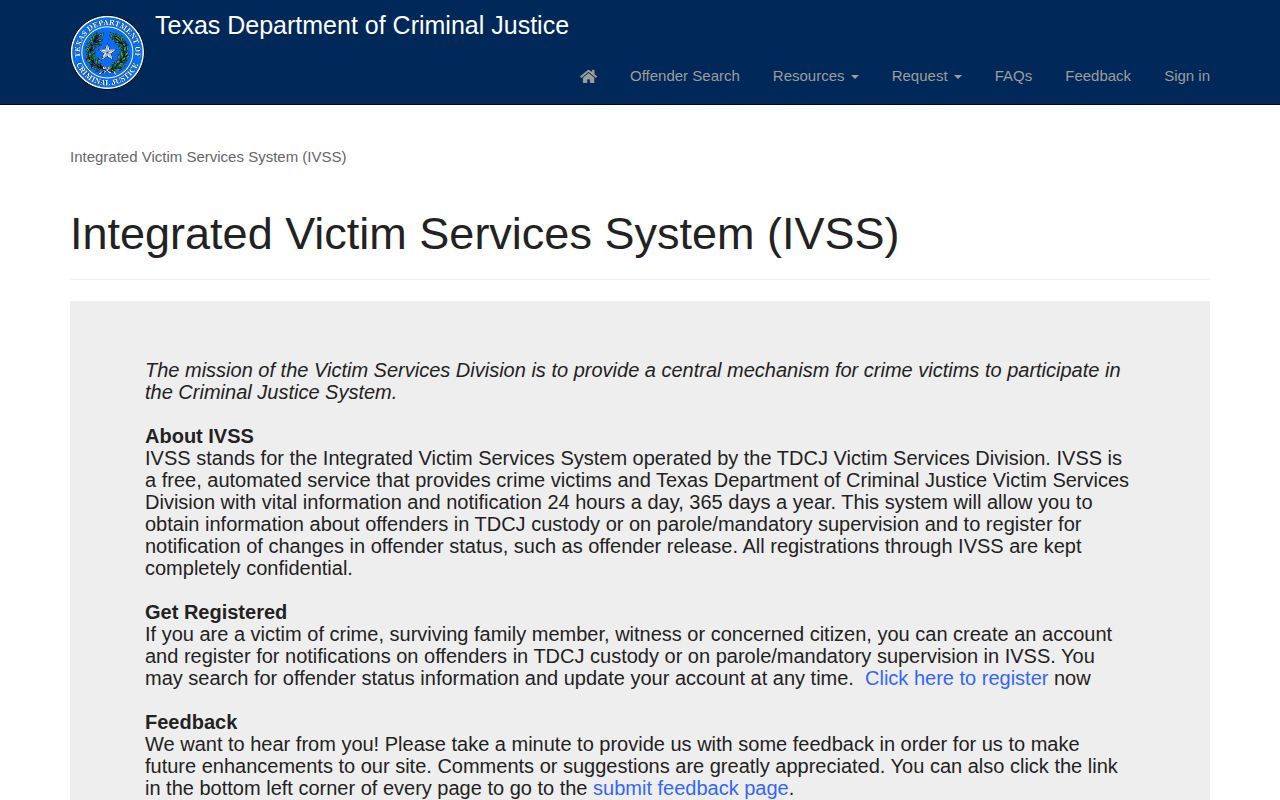
The interface belongs to the statewide corrections system. It should not be described as a Borden County jail feed, even when the conviction began with a Borden case.
Confirm Borden County Release Events
A portal result can signal a change, but release remains agency-specific. For a county booking, call the physical housing jail and request the release timestamp, reason or code, holds, and destination. Borden Sheriff can identify the jail and holds local arrest information. The clerk can supply the bond, dismissal, judgment, or other court order.
A strong release chain combines the notification event, housing-jail record, and Borden court file. If the jail line says transfer, follow the receiving agency. A TDCJ admission confirms state custody continued. A federal or ICE transfer requires the corresponding federal channel. None of those later systems changes the meaning of the original Borden arrest record.
The Borden County released inmate search gives the wider custody-based path when one alert cannot resolve the event. Keep the status words and timestamps from each office rather than forcing them into one unsupported time.
Borden County VINE Check Limits
IVSS-Counties searches current custody or supervision and warns that a person no longer held may not appear. A no-result can also stem from spelling, delayed data, transfer, a facility that does not participate, or use of the wrong identifier. Write “not found in IVSS-Counties when checked” rather than “released.”
Neither Texas IVSS service covers an ordinary federal prison record. The Bureau of Prisons locator is the federal route. ICE has a separate locator for current custody and certain recent releases. A BOP or ICE result confirms only that agency's custody status; it does not establish release from the Borden housing jail or end of all supervision.
Portal data may lag physical movement. A phone alert can arrive after staff act, and a release entry may still require correction. When safety or legal timing matters, contact the agency directly. The portal itself disclaims that it is the official record.
Note: Preserve the alert, then obtain the releasing agency's record before treating a status change as final.
Use Current Borden County IVSS
The current IVSS-Counties portal provides the county-custody search and notification entry used after the Texas transition.
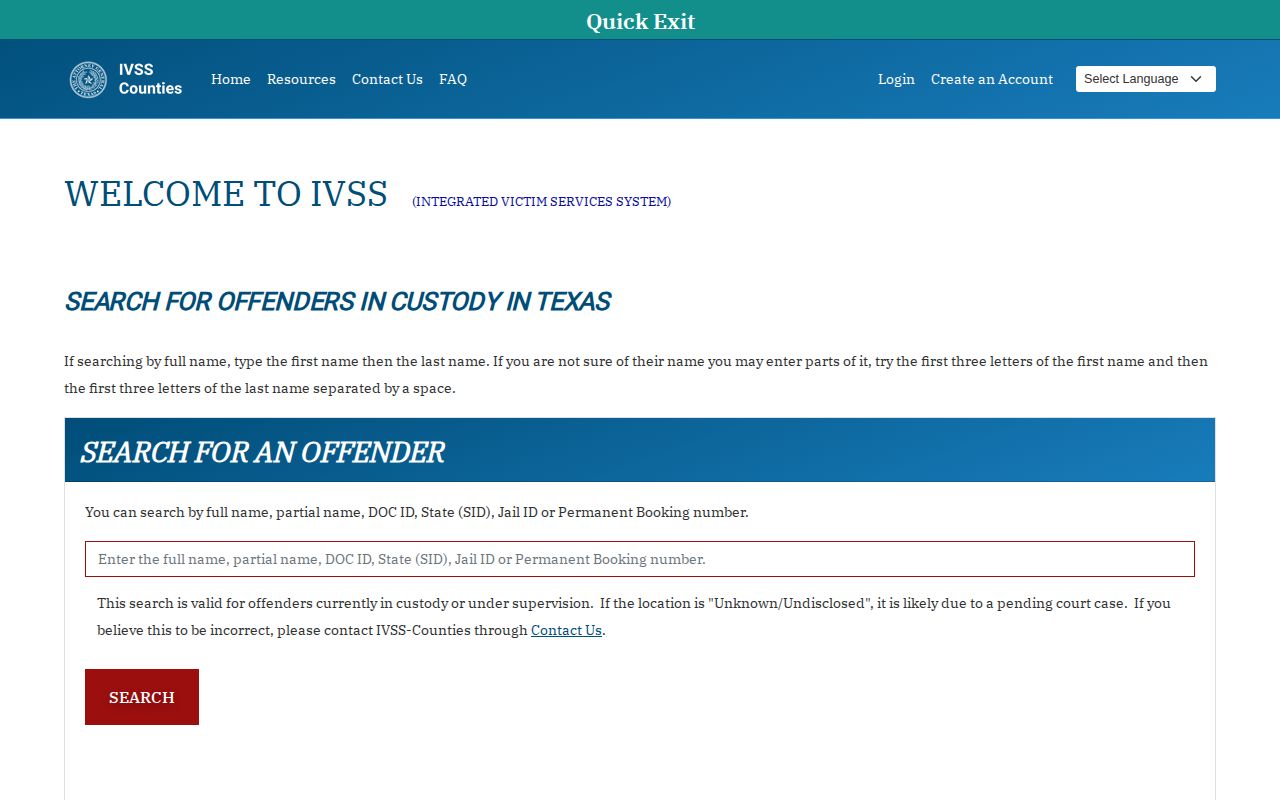
The screen illustrates the correct present-day starting point. Confirm Borden and the physical housing jail in the live choices before relying on a result.
Save Borden Release Registration Proof
The official IVSS-Counties registration route shows the account path available for managing county alerts.
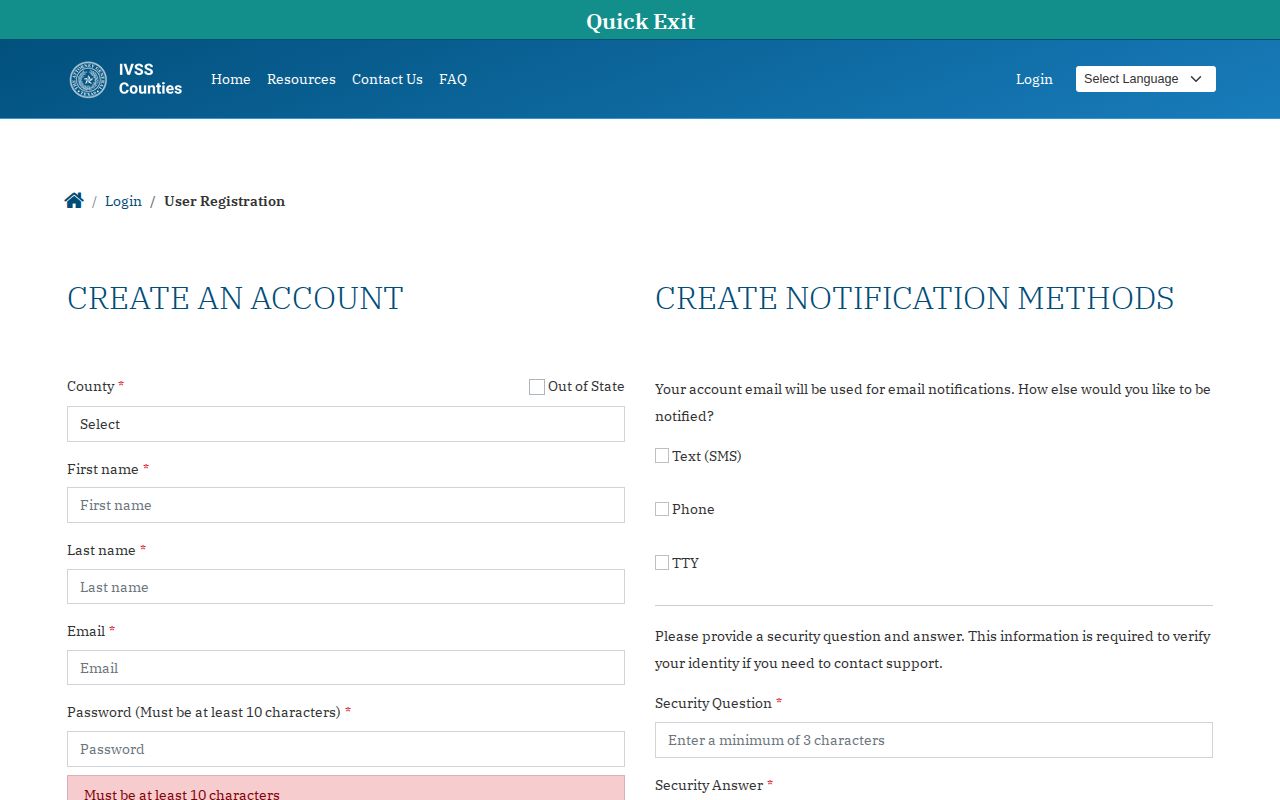
Save the resulting confirmation rather than assuming a form submission succeeded. A record of the facility, person, delivery choice, and registration date helps support staff trace a missing alert.
Interpret Borden County Release Status
Classify each item before comparing it with another source. An alert can report a custody event. A court order is legal authority. A projected TDCJ date is a forecast, while an active parole-office assignment describes supervision after prison. These records can carry different dates without one of them being wrong.
For example, a Borden court may authorize bond on one day. The housing jail may keep the person until it clears an outside hold, then close its record on the next day. If another agency accepts custody, the jail's event is a transfer. An IVSS-Counties notice should be read with that sequence, not reduced to the single word “released.”
State-prison results require the same care. A favorable parole vote is not a gate event. Review and Release Processing must examine the plan and conditions, and a scheduled date can still change. TDCJ IVSS can provide later notices, but the final state record and parole status remain the sources for actual release and continued supervision.
Keep a small verification log for a named person. Record the exact name and identifier used, facility selected, status phrase, displayed update time, search time, and office contacted. Save only the details needed to distinguish the person. When a portal and jail disagree, give support staff the agency and booking identifier along with the official source confirmation. That approach creates a useful correction trail without turning a temporary portal lag into a false public claim.
Public Record Search
Sponsored Results